

Real-world experiences from the cryptographic trenches
When a blockchain wallet provider detected anomalous activity in their application stack at 2 AM, the difference between HSM and KMS wasn’t academic – it was the difference between a minor security incident and losing millions in customer cryptocurrency. Their dedicated HSM deployment (AWS CloudHSM), with single-tenant hardware control and direct PKCS#11 access ensured attackers couldn’t compromise wallet keys, preserving both funds and reputation.
Three months earlier, we had helped them migrate from Azure Key Vault to an AWS Cloud HSM after a detailed threat model revealed the need for dedicated hardware isolation and separation from provider-managed control planes. That single architectural decision prevented what could have been a company-ending breach.
The above isn’t an isolated case. We’ve implemented cryptographic solutions across banking, healthcare, government, and fintech sectors. We’ve seen firsthand how the wrong choice leads to compliance failures, operational nightmares, and security breaches that make headlines.
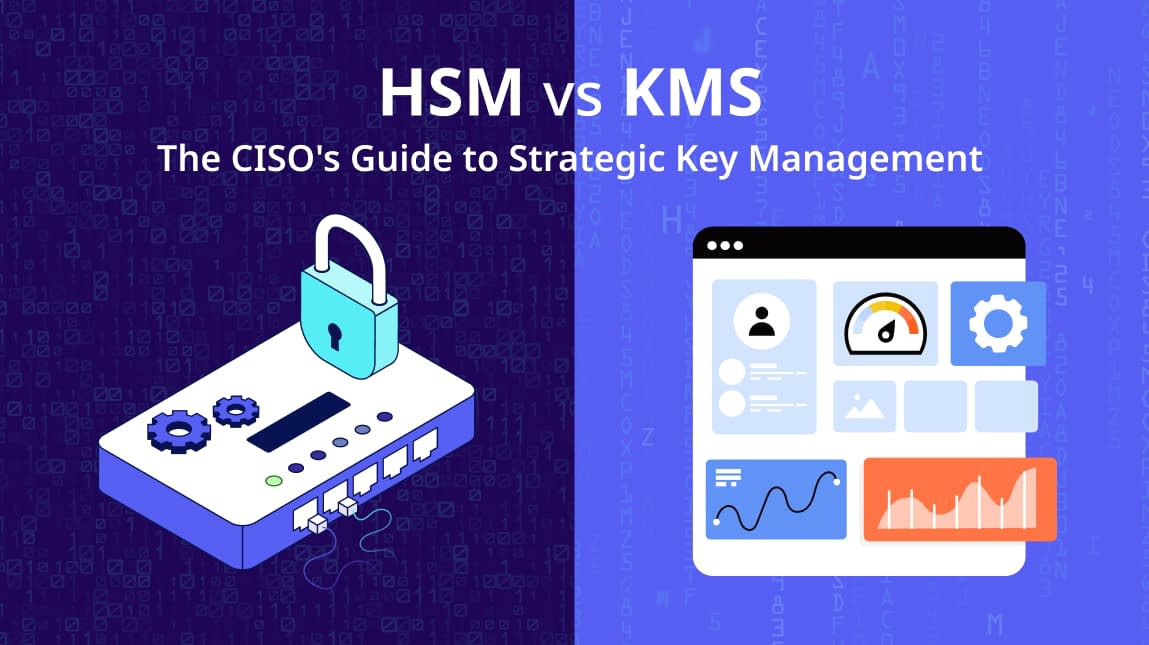
Your organization’s most sensitive data is only as secure as the keys that protect it. But choosing between Hardware Security Modules (HSMs) and Key Management Services (KMS) isn’t just a technical decision. It’s a strategic one that affects compliance, costs, and your organization’s security posture for years to come.
Terminology note: In this article, “HSM” includes both on‑premises HSM appliances and dedicated cloud HSM services (e.g., AWS CloudHSM, Azure Dedicated HSM, Thales DPoD), unless we explicitly distinguish between them.
Today, we’ll share our battle-tested insights to help you make the right decision for your organization.
Need expert guidance on your cryptographic architecture?
Connect with a Key Management and HSM Expert
Accutive Security has implemented HSM and KMS solutions across banking, healthcare, government, and fintech
HSM vs. KMS: A Seven-Question Decision Framework
Before diving into war stories and technical details, ask yourself these seven questions. Your answers will point you in the right direction between HSM and KMS:
| Decision Question | If YES | If NO |
|---|---|---|
| High-assurance signing or asymmetric operations? | HSM recommended | KMS likely sufficient |
| Dedicated root of trust with non-shared hardware? | HSM required | KMS acceptable |
| Strict crypto mandates (attestation, non-exportable keys)? | HSM required | KMS typically sufficient |
| Infrastructure identities (CA, TLS, SSH, firmware)? | HSM strongly recommended | KMS acceptable |
| Custom cryptographic protocols or low-level control? | HSM best fit | KMS simpler choice |
| Encrypting cloud-native services at scale? | KMS best fit | Consider HSM if root-of-trust is needed |
| Fully managed lifecycle with minimal ops overhead? | KMS preferred | HSM if control > convenience |
Now let’s dive into why these questions matter.
The Fundamental Difference: Hardware vs Software Trust
Think of it this way:
HSM = A bank vault where keys never leave the vault, ever
KMS = A sophisticated key manager that may use various storage methods
A Hardware Security Module (HSM) creates a hardware-enforced boundary around your keys. When we say “non-exportable,” we mean the hardware physically prevents key material from being extracted, even by administrators. The keys are born in the HSM, live in the HSM, and die in the HSM. To learn more about fundamentals of Cloud HSMs and their advantages, explore our article: What is Cloud HSM?
Key Management Service (KMS) focuses on lifecycle management at scale. It handles key rotation, access policies, and integration with cloud services. Some KMS solutions use HSMs underneath, but they prioritize convenience and automation over hardware-enforced protection.
Root of trust is the foundation of your cryptographic architecture. It’s the thing you trust completely because you must trust something. If your root of trust is compromised, everything built on top fails. This is why HSMs exist.
FIPS 140-2 Level 3 means the hardware is tamper-resistant and will destroy keys if someone tries to attack it physically. Think of it as a self-destructing vault that erases everything if you try to crack it open.
Cloud HSM vs Dedicated (On-Prem) HSM
Both are HSMs. The difference is the operational model and control plane:
| Category | On-Prem HSM | Dedicated Cloud HSM (Single-Tenant) |
|---|---|---|
| Control & Tenancy | You own and operate the hardware. Fully isolated. Maximum environmental and physical control. | Single-tenant HSM hardware delivered as a service. You control the crypto (users/partitions/keys); provider manages the datacenter and hardware platform. |
| Compliance & Audits | Often simplest to demonstrate “you control everything” (physical + logical), especially where strict segregation/physical custody is emphasized. | Can meet strong assurance requirements (often FIPS Level 3) and can simplify evidence via provider reports—verify validation scope and auditor expectations. |
| Operations & Staffing | You manage racking, firmware/patching, hardware lifecycle, backup/restore, tokens/PEDs, quorum procedures, and DR drills. | You manage crypto configuration and clustering/HA patterns; provider manages facilities, power/cooling, and device availability/hardware replacement. |
| Networking & Latency | Best when keys must remain inside a private datacenter or ultra-low-latency on-prem workloads are critical. | Best when workloads are cloud-native. Be mindful many cloud HSM clusters are region-bound; cross-region DR often requires explicit backup copy/clone processes. |
| Cost Model | CapEx + specialized staff. Can be cost-effective for steady, high-volume, long-lived workloads. | OpEx + faster time-to-value. Can become expensive at scale or when architected with per-tenant/per-region dedicated devices. |
| Vendor/Platform Features | Maximum customizability; strong fit for legacy PKI and private networks; you control upgrade cadence and integrations. | Strong cloud ecosystem integration and standard crypto interfaces; potential constraints around cross-region portability and provider-specific tooling/guardrails. |
Rule of thumb: If auditors/regulators require physical custody and maximum segregation, or you have high, stable throughput and staffing, on‑prem can win. If you want faster rollout, cloud‑native integration, and reduced hardware overhead, cloud HSM is often the pragmatic choice.
When HSMs Are Non-Negotiable: The Decision Matrix
Based on hundreds of client engagements, here are the scenarios where HSMs (cloud or on-prem) become essential. We indicate when cloud HSM or on-prem is the more common deployment:
Certificate Authority Operations
- Use Case: Root key protection with non-exportable guarantees
- Why HSM: PKI compliance requirements mandate FIPS 140-2 Level 3
- Real World Example: One government client stored the root CA in software. Attackers extracted the private key during a breach, forcing them to rebuild their entire PKI from scratch – every certificate, every device, everything.
- Key Takeaway: Root CA keys are the ultimate root-of-trust. If they’re compromised, your entire digital identity infrastructure collapses.
Code Signing & Firmware Protection
- Use Case: Software supply chain security, IoT device authentication
- Why HSM: Code signing keys are high-value targets for supply chain attacks
- Key Trend: HSM usage is exploding for machine identities in DevOps pipelines. Developers want signing keys outside the “DevOps blast radius” – if the CI/CD system gets compromised, the signing keys remain safe.
Financial Services & Payments
- Use Case: PCI-DSS mandated use cases, payment processing
- Why HSM: It’s not optional. Visa, Mastercard, and PCI-DSS mandate HSMs for payment card processing
- Key Takeaway: Every major bank uses HSMs for payment processing, PIN verification, and transaction signing. There’s no workaround.
Blockchain & Cryptocurrency
- Use Case: Wallet private key protection, crypto custody
- Why HSM: Private keys must not be exportable, period.
- Real World Example: The blockchain wallet provider I mentioned earlier originally stored wallet private keys in Azure Key Vault. During our threat modeling session, we asked: “What happens if someone compromises your Azure subscription?” The answer was uncomfortable – they could potentially export keys and steal wallets.
We recommended switching from Azure Key Vault (KMS) to AWS CloudHSM (a dedicated HSM service) with restricted signing operations. Three months later, they detected that anomalous activity. The non-exportable nature of HSM-protected keys prevented wallet theft. That architectural decision saved them millions and their reputation.
When KMS Is Your Best Choice
Cloud Data Encryption
- Use Case: Database encryption (TDE), file system and storage encryption
- Why KMS: Symmetric key encryption at scale, with automated rotation
- Integration: SQL Server, Oracle, and others integrate directly with KMS solutions via APIs like KMIP
Application Secrets Management
- Use Case: API keys, credentials, certificates
- Why KMS: Built for scale and automation. Perfect for thousands of secrets across hundreds of applications
- Scale Factor: KMS shines when you have complex key hierarchies and need automated lifecycle management
Multi-cloud Key Orchestration
- Use Case: BYOK/HYOK scenarios, cross-platform key management
- Why KMS: Unified control across AWS, Azure, GCP, and on-premises
- Business Value: Deploy in minutes, not days. Focus on services, not hardware.
Tokenization at Scale
- Use Case: PCI scope reduction, data protection
- How it Works: Use a tokenization platform -vaulted (e.g., Thales) or vaultless (e.g., ADM) – to perform high-volume tokenization. Integrate with a KMS to manage the encryption key hierarchy and perform envelope encryption for vault data, enabling centralized policy enforcement at scale.
Real-World HSM vs KMS: Case Studies
Success Story: Regional Bank’s PCI-DSS Recovery
| Challenge | A regional bank failed its PCI-DSS assessment due to poor key custody documentation. They were using on-premises Entrust HSMs that technically worked but could not be operationally maintained due to a lack of internal cryptographic expertise. As a result, the bank was unable to demonstrate proper key management to auditors. |
| Solution | Migrated from on-premises Entrust HSMs to Thales Data Protection on Demand (DPoD), a cloud HSM platform, combined with:
|
| Outcome |
|
| Lesson Learned | Migrating to cloud HSM was not just an infrastructure change. It enabled stronger governance and automation. In this case, the technology worked, but the surrounding processes and operational model were broken. |
Disaster Averted: The Multi-Region Architecture Failure
| Challenge | A healthcare organization deployed AWS CloudHSM clusters in multiple regions, assuming that “high availability” implied automatic cross-region key replication. |
| What Went Wrong |
|
| Fix | Implemented manual key cloning and synchronization processes across CloudHSM clusters. While functional, the approach proved operationally fragile and easy to miss during disaster recovery testing. |
| Lesson Learned | Cloud HSM services do not automatically solve distributed systems challenges. Cross-region key availability must be deliberately designed, implemented, and tested—adding significant operational complexity and cost. |
Costly Misuse of Dedicated HSMs
| Challenge | A multinational SaaS vendor deployed Azure Dedicated HSMs to achieve tenant isolation for regulated customers across EU financial services, US healthcare, and Singapore banking environments. |
| Problem |
|
| Reality Check | A detailed compliance review revealed that an HSM-backed Azure Key Vault with appropriate RBAC and governance controls met the actual regulatory requirements. The architecture had been overbuilt based on a misunderstanding of tenant isolation expectations. |
| Lesson Learned | “Dedicated HSM” sounds more secure, but standard KMS with strong access controls often satisfies compliance needs at a fraction of the cost. Always validate requirements with auditors—not vendor sales teams. |
The Admin Quorum Lockout
| Challenge | A federal agency deployed on-premises Luna HSMs using quorum authentication, requiring multiple administrators to authorize access to cryptographic keys. |
| What Happened |
|
| Result | The agency declared a formal security incident and was forced to rebuild its entire PKI infrastructure from scratch, resulting in approximately six months of downtime for non-critical systems. |
| Lesson Learned | Physical HSMs require human and process resilience—not just technical controls. Disaster recovery planning must account for staff turnover, not only hardware failure. |
HSM vs. KMS: Notable Key Distinctions
Now that you understand the stakes, here’s the detailed technical comparison:
| Attribute | HSM | Key Manager (KMS) |
|---|---|---|
| Key Storage | Hardware-backed, tamper-proof | Software or hardware backed (may integrate with HSM) |
| Key Types | RSA, EC, AES, Algorithms (GCM, PSS, ECB, and CBC), Digest/hash, Key Wrapping | AES, ARIA, SEED, TDES, RSA, EC, Digital Certificates |
| Key Operations | Encryption, Decryption, Signing, Key Generation, Key Storage | Sign, Verify, Encrypt, Decrypt, Wrap, Unwrap, Export, Generate MAC, Verify MAC, Derive Key, Content Commitment, Key Agreement, Certificate Sign, CRL Sign, Generate Cryptogram, Validate Cryptogram, Translate Encrypt, Translate Decrypt, Translate Wrap, Translate Unwrap, FPE Encrypt, FPE Decrypt |
| Deployment | On-prem hardware, dedicated cloud instances | On-prem hardware, on-prem virtual, software service or cloud-native |
| Key Generation | Internal, hardware-random | Often external or soft-generated, can import |
| Exportability | Private keys are non-exportable (enforced by hardware), however they can be wrapped and exported, | Configurable, including exportable |
| Performance | High throughput crypto (e.g., TLS offload, code sign) | Efficient for key orchestration and lifecycle management |
| Compliance | FIPS 140-2/3 Level 3 | FIPS 140-2/3 Level 3 (if HSM-backed) |
| Ideal For | Root-of-trust, signing, CA, payments, tokenization | Encrypting at rest, database encryption, tokenization, KMIP, BYOK and HYOK scenarios, key lifecycle management |
Key control is a root-of-trust issue, not a tooling issue. Most executives only understand this after a breach, failed compliance audit, or operational outage caused by lost or compromised keys. If you can’t prove how your keys are generated, stored, and used, you don’t control your data.
Platform Comparisons: AWS CloudHSM, Azure Dedicated HSM, Thales DPoD, Entrust nShield
| Platform | Best For | Strengths | Challenges | Real-World Insight |
|---|---|---|---|---|
| AWS CloudHSM | High-performance cryptography, direct PKCS#11 access, teams with deep cryptographic expertise |
|
|
Often overkill for basic key rotation and lifecycle management; AWS KMS frequently meets actual needs at lower cost and complexity. |
| Azure Dedicated HSM | Highly regulated environments requiring physical tenant isolation |
|
|
Frequently deployed for compliance optics; many clients later find Azure Key Vault Premium sufficient at a fraction of the cost. |
| Thales Data Protection on Demand (DPoD) | Cloud-first organizations, multi-region deployments, rapid compliance readiness |
|
|
Ideal for startups and regulated scale-ups needing FIPS Level 3 quickly without operational burden. |
| Entrust nShield | Government, national ID programs, large banks with strict multi-operator controls |
|
|
Extremely secure when operated correctly—but human process failures often become the weakest link. |
Common HSM vs KMS Misconceptions That Cost Money
Through our client work, we’ve identified recurring misconceptions that lead to expensive mistakes:
| Misconception | Reality | Impact |
|---|---|---|
| “Can’t I just export the key from KMS and move it to another cloud?” | Many KMS platforms do not allow key export by default, especially for symmetric keys. Organizations often discover too late that keys cannot be migrated or recovered outside the provider’s KMS ecosystem. | Creates unintended cloud lock-in unless a BYOK or HYOK strategy is designed from day one. |
| “Why do I need an HSM if I already have Azure Key Vault Premium?” | Azure Key Vault Premium uses HSM-backed storage, but customers do not have direct HSM access or full policy control. The underlying HSM infrastructure is shared and managed by Microsoft. | Organizations in highly regulated sectors often realize too late that they need dedicated HSM control or strict non-exportability guarantees to satisfy auditors. |
| “So HSM is just a more secure version of KMS, right?” | No. HSMs provide hardware-enforced trust boundaries and non-exportable key protection. KMS focuses on key lifecycle management, policy enforcement, and operational efficiency at scale. | Teams confuse policy controls with hardware protection and fail compliance audits when asked to prove how keys are physically protected. |
| “Why is it so complicated just to sign something?” | Secure signing requires understanding cryptographic protocols, integration patterns, and security policy alignment. Signing keys often protect assets that have legal or regulatory consequences. | Underestimating signing complexity leads to insecure implementations, brittle workflows, and production outages when controls are tightened later. |
Skills and Operational Requirements for HSM and KMS
| KMS Requirements | HSM Requirements |
|---|---|
|
|
Cloud HSM vs On‑Prem nuances: Cloud HSM reduces hardware care‑and‑feeding but still requires PKCS#11/JCE/CNG expertise, partition management, clustering, and key‑cloning discipline; on‑prem adds facilities, tokens, and appliance lifecycle duties.
The staffing reality: Good cryptographic engineers often start at $150,000 and are hard to find. KMS reduces the specialized knowledge requirement, while HSM increases it.
Struggling to find cryptographic expertise for your HSM implementation? Accutive Security’s team has hands-on experience with Thales, Entrust, AWS CloudHSM, and Azure Dedicated HSM. Let us bridge the skills gap while your team learns. Schedule a consultation.
The Implementation Difficulty: HSM vs KMS
| Task | KMS | HSM |
|---|---|---|
| Initial setup | 1 to 2 hours | 1 to 2 days |
| App integration | Native SDK or config | Requires coding, SDKs, partition access |
| Key rotation | Automated | Manual or scripted |
| Backup & disaster recovery | Local and cloud-managed | Manual (token-based or cloning) |
| Multi-region or multi-tenant setup | Native support | Complex and expensive |
Migration Strategies: Moving Between HSM and KMS
From Software Keys to HSM
- Asset inventory and risk assessment: Catalog all keys and identify which ones need hardware protection
- Phased migration planning: Start with new applications, gradually migrate existing systems
- Parallel operation period: Run both systems during testing and validation
- Cutover and validation: Complete migration with rollback procedures
From HSM to Cloud KMS
- Key exportability assessment: Determine which keys can be migrated vs regenerated
- Compliance impact analysis: Ensure KMS meets regulatory requirements
- Gradual workload migration: Move non-critical applications first
- Legacy system integration: Plan for systems that can’t be easily changed
Hybrid Architecture (Most Common)
It is important to note that most organizations end up with both HSMs and KMS:
- HSM for: Root CA keys, code signing, payment processing, “crown jewel” operations
- KMS for: Application encryption, database keys, secrets management, development environments
Future-Proofing: Post-Quantum and DevOps Integration
Post-Quantum Cryptography (PQC) Readiness
- Current State: Most clients are still cataloging their cryptographic assets and identifying where RSA/ECC algorithms are business critical.
- Forward-Looking: Some forward-thinking clients (especially in financial services) are testing hybrid signatures that combine classical algorithms with post-quantum alternatives.
- The Challenge: Most organizations lack a formal crypto-agility plan and are underestimating migration timelines. PQC isn’t a simple algorithm swap – it affects key sizes, performance, and integration points.
- Recommendation: Start preparing now. The transition will be gradual co-existence, not an abrupt switch. Ensure your chosen HSM/KMS platform has a clear PQC roadmap.
DevOps and Machine Identity Integration
- The Trend: HSM usage is expanding rapidly into CI/CD pipelines, container signing, and IoT device authentication.
- The Driver: Developers want signing keys outside the “DevOps blast radius.” If the CI/CD system gets compromised, the signing keys should remain protected.
- The Solution: HSM-backed solutions integrated with tools like HashiCorp Vault, or external signing services that use HSM protection for code signing operations.
- Real World Example: A major software company now signs every container image and software package using HSM-protected keys. When their build system was compromised, attackers couldn’t sign malicious code because the signing keys were HSM-protected.
The Strategic HSM vs KMS Decision Framework
Use this framework to guide your HSM vs KMS decision:
Step 1: Assess Compliance Requirements
- Do you need FIPS 140-2 Level 3 validation?
- Are there industry-specific mandates (PCI-DSS, HIPAA, FedRAMP)?
- Do regulators require proof of non-exportable keys?
- What do your auditors require vs what vendors claim?
Step 2: Evaluate Key Exportability Needs
- Must private keys remain non-exportable under all circumstances?
- Do you need hardware-enforced key usage policies?
- Is the root-of-trust critical to your business model?
- What happens if keys are compromised or stolen?
Step 3: Consider Operational Maturity
- Does your team have cryptographic expertise?
- Can you manage hardware lifecycle and disaster recovery?
- Do you prefer CapEx or OpEx cost models?
- How do you handle staff turnover and knowledge transfer?
Step 4: Calculate Total Cost of Ownership
- Include operational overhead, not just licensing fees
- Factor in training and specialized staffing needs
- Consider compliance audit and preparation costs
- Account for disaster recovery testing and procedures
Step 5: Plan for Scale and Future Needs
- What are your current and projected key volumes?
- Do you need multi-cloud or hybrid deployments?
- Are you preparing for post-quantum cryptography migration?
- How will your architecture evolve over the next 5 years?
Key Takeaways: Choosing the Right Key Management Approach
HSMs and KMS platforms serve fundamentally different roles within a modern cryptographic architecture, and for most organizations the optimal answer is not one or the other, but a thoughtful combination of both. Treating this decision as a binary choice often leads to either unnecessary operational burden or insufficient protection for high-value assets.
While compliance requirements frequently influence key management decisions, they should not be the sole driver. Leaders must also evaluate the impact of key compromise on the business itself. For certain keys, exposure may result in contained operational risk; for others, it can undermine trust, invalidate transactions, or threaten the viability of the organization. Protecting the business model is as critical as satisfying regulatory checklists.
Operational complexity deserves equal weight in the decision-making process. Key management systems must be supported by real-world processes, trained personnel, tested disaster recovery procedures, and continuity plans that account for staff turnover. A technically sound solution that cannot be operated reliably and consistently will ultimately increase risk rather than reduce it.
Effective programs begin with threat modeling. Identifying “crown jewel” keys (those that anchor trust, authorize transactions, or secure regulated data) provides clarity on where higher-assurance controls such as HSMs are justified and where KMS-driven automation is more appropriate.
Finally, organizations must plan for crypto agility. The transition to post-quantum cryptography will be incremental and complex, requiring coexistence of algorithms, evolving policies, and changes to tooling over time. Decisions made today should enable flexibility and controlled evolution, not create long-term architectural constraints.
Your Next Steps
-
Inventory your cryptographic assets
Catalog every key, certificate, and trust anchor—what it protects, where it lives, and how it’s managed. You can’t secure what you can’t see.
-
Validate real compliance requirements
Engage auditors and regulators directly. Separate what is mandated from what is merely recommended or implied by vendor positioning.
-
Assess operational maturity honestly
Evaluate whether your team can support HSM operations, incident response, quorum procedures, and DR testing—or whether a managed KMS model is more realistic.
-
Pilot before committing
Start with non-critical workloads to test integration, performance, audit evidence, and day-two operations before scaling to production.
-
Establish governance, not just tooling
Define policies for key lifecycle management, access control, rotation, incident response, and disaster recovery. Technology enforces policy—but governance defines it.
Final Thoughts
Choosing between HSM and KMS isn’t about picking the “most secure” technology. It’s about aligning risk tolerance, compliance obligations, and operational capability into a system your organization can actually run.
Ignore vendor hype and industry peer pressure. Make decisions grounded in threat modeling, evidence, and your team’s reality. And remember—you can evolve your architecture over time. Starting with the right foundation matters far more than chasing theoretical perfection.
Your keys protect everything that matters: data, identities, transactions, and trust.
Choose deliberately. Implement carefully. Plan for what comes next.
Ready to secure your cryptographic future?
Whether you need strategic guidance on HSM vs KMS selection, help with complex implementations, or a comprehensive cryptographic audit, Accutive Security brings deep expertise across all major platforms and use cases.




Comment