
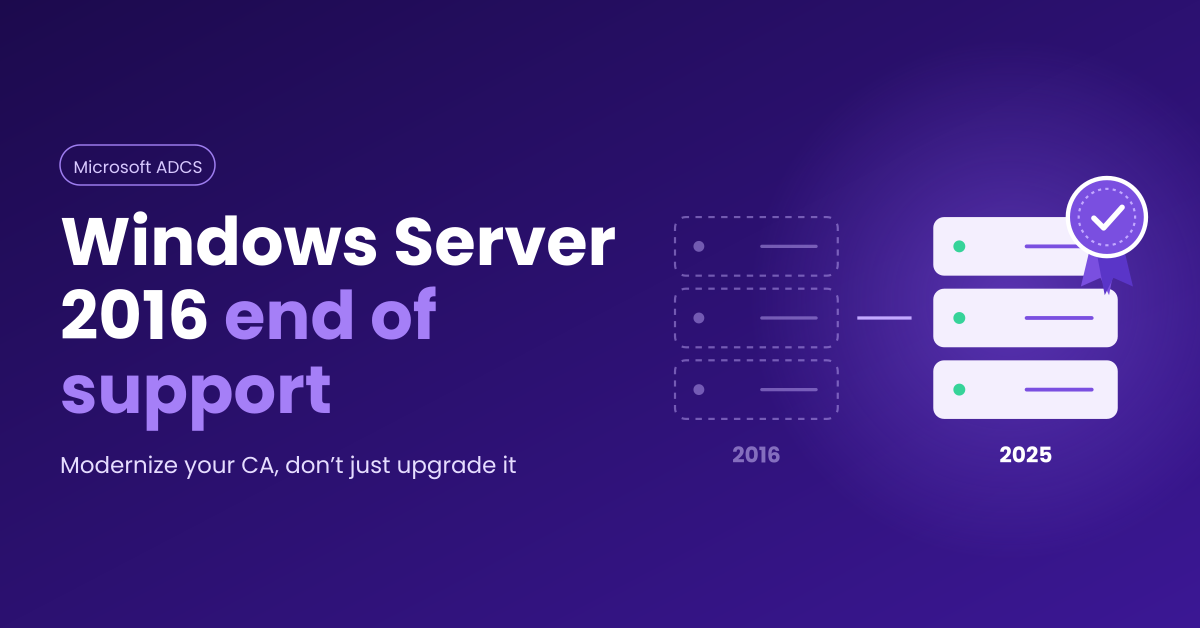

Windows Server 2016 is approaching its final deadline.
For a decade, it’s quietly run core infrastructure across enterprise environments: identity services, file and print, virtualization, and, for organizations running Microsoft Public Key Infrastructure (PKI), certificate issuance through Active Directory Certificate Services (ADCS, which Microsoft writes as AD CS). That last role is the one about to become a problem.
An unpatched certificate authority (CA) puts far more than one server at risk, because every certificate it has issued depends on its security.
What to Do About ADCS When Windows Server 2016 Support Ends
Microsoft ends extended support for Windows Server 2016 on January 12, 2027. After that date, a CA running on it receives no security fixes unless you pay for Extended Security Updates (ESUs).
For most organizations, the right response is planned modernization rather than a like-for-like OS upgrade: move the CA to a supported platform, fix the template and permission problems attackers actually target, and decide whether ADCS should still issue every certificate you depend on. If a CA can’t move before the deadline, treat ESUs as a bridge and spend that time on cleanup and planning.
What Windows Server 2016 End of Support Means for ADCS
Nothing breaks on January 12, 2027, but the CA stops receiving security updates. ADCS is a Windows Server role, so it is patched through the OS. Once monthly updates end, any new flaw in the OS, the ADCS role, or the web enrollment components on that host stays open.
| Keeps working after January 12, 2027 | Stops or gets harder |
|---|---|
| Issued certificates remain valid until expiry | Monthly security updates for the OS and the ADCS role, unless you buy ESUs |
| The CA continues to issue certificates and publish certificate revocation lists (CRLs) | Microsoft technical support for the platform |
| Auto-enrollment and existing templates | Evidence for auditors and cyber insurers that in-scope systems are supported |
| Existing hardware security module (HSM) integrations, for now | Vendor support for HSM client software on an unsupported OS (check each vendor’s matrix) |
Are Extended Security Updates a Real Option?
ESUs buy time, not a fix. Microsoft offers paid ESUs for Windows Server 2016 for up to three years past end of support, covering critical and important security updates only. Enrollment runs through Volume Licensing or a Cloud Solution Provider, and Azure Arc ESU configuration opened August 3, 2026, with billing starting January 13, 2027. Enrolling late saves nothing, because Azure Arc licenses provisioned after January 12, 2027 are back-billed to that date. Moving to Azure no longer makes ESUs free either: Microsoft prices new ESUs the same inside and outside Azure, and that includes Windows Server 2016.
For a CA specifically, ESUs make sense only as a bridge while a migration is already scheduled. They patch the OS. They do nothing about template misconfigurations, weak key storage, or an aging hierarchy, which is where most ADCS risk sits.
Why ADCS Carries More Risk Than a Typical Server
A CA is a Tier 0 asset, in the same class as a domain controller. An unpatched or misconfigured CA can let an attacker become anyone in your domain.
Your CA Key Signs Your Internal Identity
Every certificate your CA issues is only as trustworthy as the CA’s own private key. SpecterOps’ Certified Pre-Owned research documents forging certificates with a stolen CA key as a domain persistence technique, and those forged certificates can’t be revoked. If that key sits in software on an aging host rather than inside an HSM, end of support raises the stakes.
Template and Permission Misconfigurations
That same research, published in June 2021, named eight privilege escalation paths through ADCS, labeled ESC1 through ESC8 (ESC for escalation). The public catalog has since grown to ESC16. Most of these are configuration problems that patching won’t fix. ESC1 is the classic example: a template lets a low-privileged user enroll, supply their own subject name, and use the resulting certificate for client authentication. That user can then authenticate as a domain administrator, and the certificate keeps working even after a password reset.
Authentication Depends on Getting Certificates Right
Many organizations use ADCS for smart card logon, VPN access, Wi-Fi, and device certificates. Microsoft’s strong certificate mapping changes (Knowledge Base article KB5014754) moved domain controllers to full enforcement in February 2025, and the registry opt-out stopped working with the September 2025 updates. Certificates that can’t be strongly mapped to an account now fail authentication, so a migration that changes templates or issuance paths can break logon.
These risks live in the CA database, the templates, and the access control lists. A migration that copies them to a new server copies the exposure too.
Other PKI Deadlines Landing at the Same Time
Windows Server 2016 is one of six PKI-relevant deadlines between October 2026 and 2031. Plan the ADCS move with these deadlines in view, so the new design accounts for all of them.
| Date | What changes | Why it matters for your ADCS plan |
|---|---|---|
| Oct 13, 2026 | Windows Server 2022 left mainstream support (extended support runs to October 2031) | Windows Server 2025 gives more runway, with extended support to November 2034 |
| Jan 1, 2027 | New National Security System acquisitions expected to be Commercial National Security Algorithm Suite 2.0 (CNSA 2.0) compliant | Vendors and contractors supplying National Security Systems need a credible path to the Module-Lattice-Based Key-Encapsulation Mechanism (ML-KEM) and Module-Lattice-Based Digital Signature Algorithm (ML-DSA), specifically the ML-KEM-1024 and ML-DSA-87 parameter sets that CNSA 2.0 specifies. ADCS on Windows Server 2025 supports ML-DSA-87. |
| Jan 12, 2027 | Windows Server 2016 extended support ends | The deadline for this project |
| Mar 15, 2027 | Public TLS certificates capped at 100 days; under Chrome’s Root Program Policy, new leaf certificates may carry only the server authentication extended key usage (EKU), as new subordinate CAs have since June 15, 2026 | Client authentication has to move elsewhere, typically to private PKI, so more mutual TLS (mTLS), VPN, and device certificates may land on your internal CA |
| Mar 15, 2029 | Public TLS capped at 47 days; domain validation reuse cut to 10 days | Sets the automation expectations application teams will bring to private PKI |
| Dec 2030 / Dec 2031 | Executive Order 14412 directs agencies to move federal high value assets and high impact systems, excluding National Security Systems, to post-quantum key establishment by Dec 31, 2030 and digital signatures by Dec 31, 2031 | A new hierarchy should add post-quantum algorithms without another rebuild. A proposed Federal Acquisition Regulation (FAR) rule would also require covered federal contractors to comply with the Federal Information Processing Standards (FIPS), including the post-quantum ones, by Dec 31, 2030. |
For many organizations, the private CA that takes over client authentication from public TLS certificates is the CA about to be migrated.
Public certificate lifetimes keep shrinking, to 47 days by March 2029, and the automation that requires is coming for private PKI too. Our guide to selecting a certificate lifecycle management (CLM) platform, the 5 Step Approach to PKI + CLM Solution Selection, covers what that shift means.
Three Ways to Modernize ADCS
Choose a path for each CA individually. Many organizations end up with a mix: ADCS kept for Windows-native enrollment, and a modern PKI platform for everything else.
Path 1: Upgrade Windows Server in place. The fastest option on paper, and it keeps the host name, CA name, and keys. It carries forward old OS configuration, usually old hardware, and every template and permission problem. Rollback is also harder. Reserve it for a small, well-maintained CA on modern hardware with a tested backup.
Path 2: Migrate ADCS to Windows Server 2025. Microsoft’s documented method backs up the CA database, private key, and configuration, then restores them on a new server with the same name. Issued certificates stay valid, and clients keep trusting the same CA.
If you stay on ADCS, target Windows Server 2025: it has the longest support runway and is the only version where ADCS supports ML-DSA, a post-quantum signature algorithm, including ML-DSA-87, the set CNSA 2.0 requires. However, a restore keeps the CA’s existing keys, and Microsoft’s documentation says ML-DSA CAs must be newly installed. That means a parallel build. You stand up a new root and issuing CA, move templates across in stages, and let the old CA’s certificates expire. It takes longer, but it fixes the key algorithms, hierarchy design, and naming a restore would carry over. Clients also need Windows 11 24H2 or 25H2 with the October 2025 update (KB5067036) or later, and not every third-party application or device recognizes ML-DSA certificates, so test first.
Path 3: Move issuance to a modern PKI platform. Keep ADCS only where Windows auto-enrollment needs it, or retire it entirely. Move server, mTLS, container, IoT, and DevOps certificates to a platform with APIs, Automatic Certificate Management Environment (ACME) support, and centralized lifecycle management, run on-premises or delivered as PKI as a service (PKIaaS). Our Enterprise PKI Buyer’s Guide covers the evaluation criteria.
How the paths compare
| Factor | Upgrade in place | Migrate to Windows Server 2025 | Modern PKI platform or PKIaaS |
|---|---|---|---|
| Up-front effort | Lowest | Moderate | Highest |
| Existing CA name and keys | Kept | Kept (restore) or replaced (parallel build) | Replaced over time; ADCS may remain for Windows enrollment |
| Fixes template and permission risk | No, unless done separately | Only if cleanup is in scope | Yes for moved workloads; remaining ADCS templates still need review |
| Hardware refresh | No | Yes | Yes, or none for a hosted service |
| Post-quantum path | Keys stay classical; ML-DSA needs a new CA on Windows Server 2025 | Keys stay classical; ML-DSA needs a parallel build | Depends on the platform; confirm its algorithm roadmap |
| Automation (ACME, APIs) | Unchanged | Largely unchanged (no native ACME in ADCS) | Typically built in |
| Best fit | Small, clean CA on modern hardware | Windows-centric estates with heavy auto-enrollment | Mixed estates with growing mTLS, cloud-native, and DevOps demand |
Not Sure Which Path Fits?
Vendor-agnostic solution selection, tested hands-on in our Innovation Lab.
ADCS Readiness Checklist
Work through this list before choosing a path, and treat it as the scope of a short PKI assessment. For a broader view beyond ADCS, see Cryptographic Asset Discovery and Inventory.
Hierarchy and Keys
- List every root, policy, and issuing CA, including forgotten ones, with OS version, key algorithm, key size, and expiry date
- Record each CA’s cryptographic provider (a legacy Cryptographic Service Provider, CSP, or a Key Storage Provider, KSP) and signature hash algorithm, so you can confirm the new server supports them
- Confirm each private key’s location (software or HSM) and whether your HSM client software supports Windows Server 2025
Templates and Consumers
- Export each CA’s published templates (certutil -catemplates), because they live in Active Directory and the CA backup doesn’t include them
- Check what each template issued in the last 12 months, and review templates against the ESC abuse paths
- Confirm authentication certificates carry the security identifier (SID) extension used for strong certificate mapping
- Map every consumer: auto-enrollment, Network Device Enrollment Service (NDES) with Simple Certificate Enrollment Protocol (SCEP), Microsoft Intune, web enrollment, VPN, Wi-Fi, smart cards
Continuity
- Document CRL, Authority Information Access (AIA), and Online Responder (Online Certificate Status Protocol, OCSP) publication points
- Test a full restore of the CA database and key in isolation, and note the database size, since it sets backup and restore time
- Confirm owners, change windows, and your Certificate Policy and Certification Practice Statement (CPS)
ADCS Migration Runbook: Moving a CA to Windows Server 2025
This covers Path 2, a same-name move to a new server, following Microsoft’s documented procedure with one change: clean up before you back up.
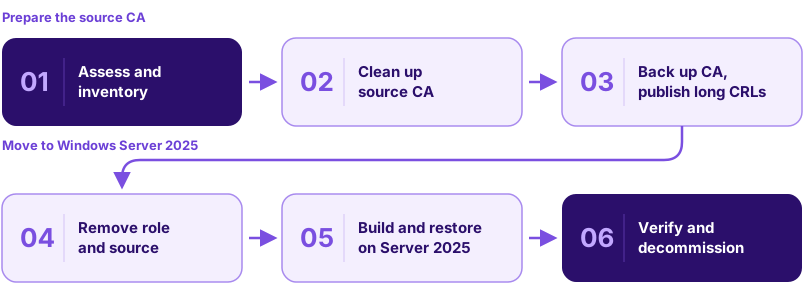
Stage 1: Assess and Inventory
- Prepare the destination. With the readiness checklist complete, build a hardened Windows Server 2025 host, managed as Tier 0, and test any HSM client software.
Stage 2: Clean Up Source CA
- Clean up the source. Retire unused templates and fix ESC findings now, because anything left in place gets restored.
Stage 3: Back Up CA, Publish Long CRLs
- Extend CRL validity. Note the current CRL publishing period, then publish CRLs that outlast the migration window.
- Back up. Take the CA database, private key (or follow your HSM vendor’s procedure), registry settings, CAPolicy.inf, and templates list, then stop the certificate service.
Stage 4: Remove Role and Source
- Remove the source. Remove the CA role, then the server from the domain, before installing the new CA. Microsoft warns that removing the role afterward deletes Active Directory configuration the new CA needs.
Stage 5: Build and Restore on Server 2025
- Build the new CA. Rename the destination to the source’s name, join the domain, import the CA certificate, and install the role using the existing private key.
- Restore. Restore the database and registry settings, checking host names and paths first, then reassign templates.
Stage 6: Verify and Decommission
- Verify. Check CRL distribution point and AIA extensions, issue a test certificate from every template, and confirm revocation checking and auto-enrollment.
- Close out. Reset the CRL publishing period, decommission the old server, and update runbooks and the CPS.
Migrate offline roots and online issuing CAs in separate change windows.
Use the Migration to Build Crypto Agility
A CA migration is the cheapest time to fix cryptographic debt, because the change window and testing are already budgeted.
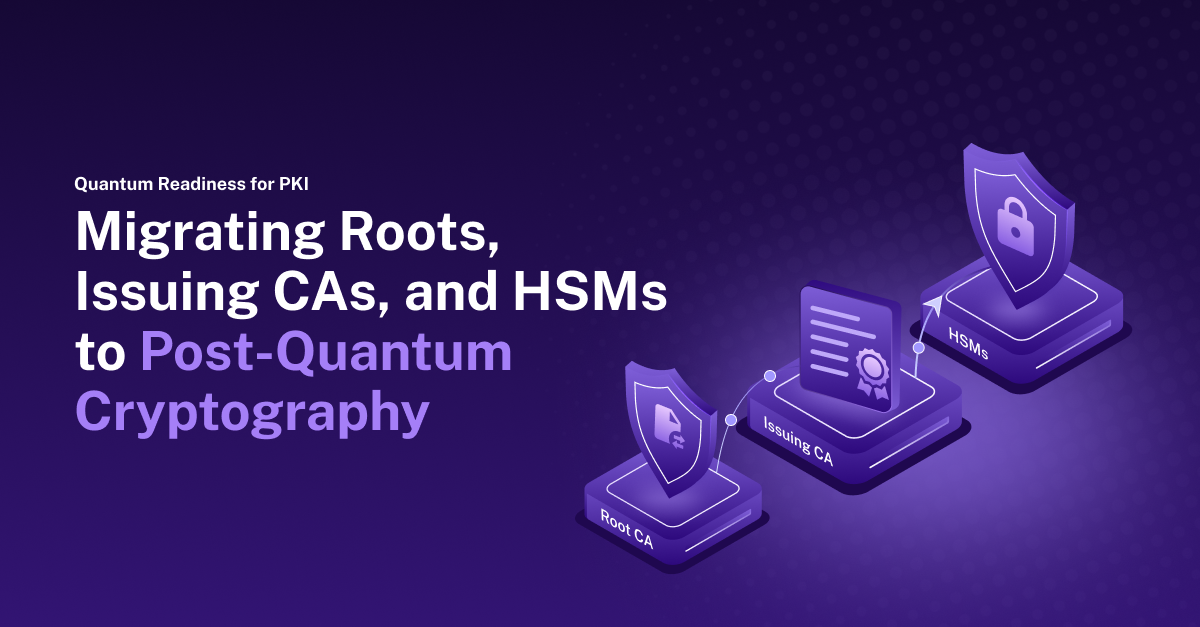
Plan for post-quantum in parallel. The National Institute of Standards and Technology (NIST) draft Internal Report (IR) 8547 proposes deprecating 112-bit public-key algorithms after 2030 and disallowing all quantum-vulnerable ones after 2035. ADCS on Windows Server 2025 with the May 2026 update (KB5087539) supports ML-DSA-44, ML-DSA-65, and ML-DSA-87, but only in a new hierarchy, so build one in a lab.
Put CA keys in validated hardware. NIST moved FIPS 140-2 certificates to its Historical list in September 2026, so new HSM purchases should specify FIPS 140-3 validation.
Automate issuance and renewal. Application teams will expect the automation that public certificates increasingly require. Self-service PKI with guardrails delivers it, so the next algorithm change can be handled through configuration.
Where Your ADCS Actually Stands
A PKI/CLM Assessment of your CA hierarchy, templates, and key storage.
Frequently Asked Questions
Will my certificates stop working when Windows Server 2016 support ends?
No. Certificates stay valid until they expire, and the CA keeps issuing. The risk is unpatched vulnerabilities after January 12, 2027.
Can I buy ESUs for my CA instead of migrating?
Yes, for up to three years. ESUs are a bridge while a migration is underway, and they do nothing about template misconfigurations or weak key storage.
Can I upgrade ADCS in place from Windows Server 2016?
Microsoft supports in-place upgrades from Windows Server 2016 to 2019, 2022, or 2025 on non-clustered servers, subject to role support. It carries forward every template and permission problem, so reserve it for a small, well-maintained CA.
Do I need to reissue certificates after migrating?
Not after a same-name backup and restore, because the CA name and key do not change. A parallel build or platform move issues new certificates over time.
Should I move my CA to Windows Server 2022 or 2025?
Windows Server 2025. Its extended support runs to November 2034, over three years longer than Windows Server 2022, and it is the only version where ADCS supports ML-DSA.
Does moving to PKIaaS mean retiring ADCS completely?
Not necessarily. You can keep a small ADCS footprint for Windows auto-enrollment and smart cards, and move the rest to a modern platform.
How long does an ADCS migration take?
It depends on the number of CAs, HSMs, and consuming systems. Discovery, template cleanup, and testing take most of the time, which is why discovery should start now, even if the CA itself moves after January 12, 2027. One global manufacturer completed its migration off ADCS in six months, as described in our PKI guide.
How Accutive Security Helps
Accutive Security is the Cryptography, Data Protection and Identity Security Center of Excellence. We help plan and carry out these moves, from automating existing ADCS to staged migrations. For a high-tech manufacturer with more than 30,000 certificates, we replaced internal ADCS with a modern PKI platform and automated renewals (read the case study). A PKI/CLM Assessment is the natural first step: it reviews your CA hierarchy, key storage, templates, and dependent systems, then recommends a path and migration plan. Still deciding whether ADCS should stay at the center of your PKI? Read Rebuilding Public Key Infrastructure.
Ready to Plan Your ADCS Migration?
A PKI/CLM Assessment that sets your path, whether you migrate now or bridge with ESUs.





Leave a Reply